Printer OS Compatibility: Fix Cross-Platform Support Issues
By Omar Haddad • 26th Oct
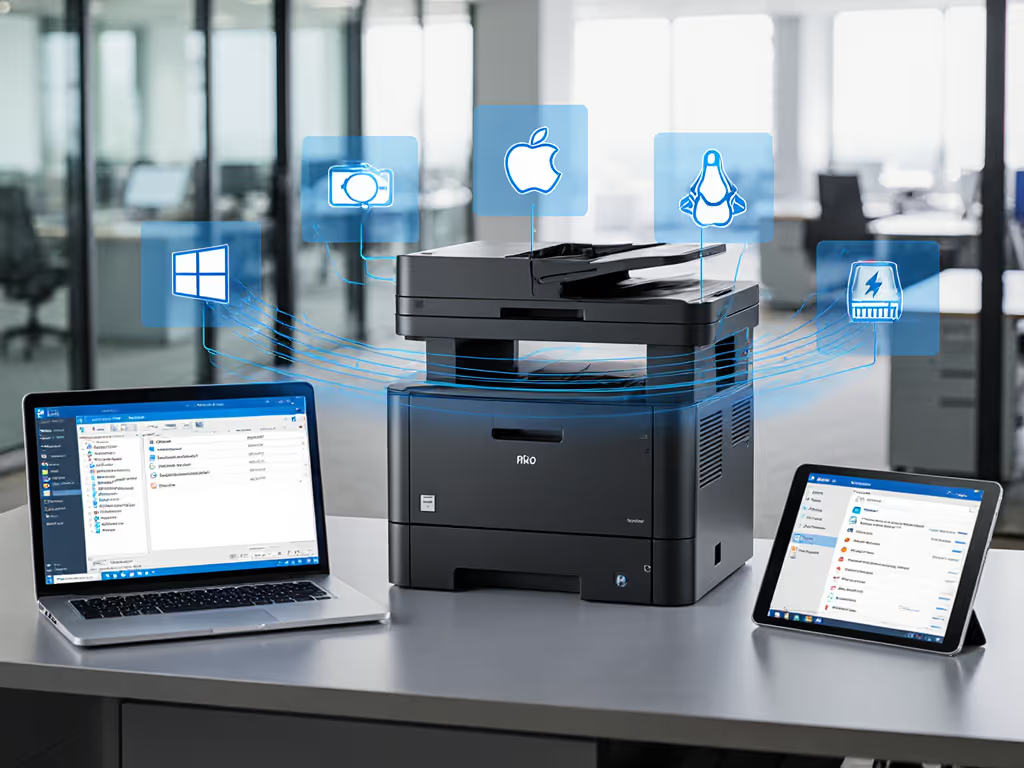
Printer OS Compatibility: Fix Cross-Platform Support Issues Without Compromising Security
Printer OS compatibility isn't just a setup headache, it's a critical control point in your endpoint security posture. When cross-platform printer support fails, you inherit hidden attack surfaces: unsigned drivers bypassing Windows Defender, unauthenticated Linux print queues, or MacBonjour services exposing SNMP credentials. These gaps transform printers from productivity tools into audit liabilities. For core controls to lock down data, see our printer security features guide. This isn't theoretical. During a recent SOC 2 Type II review, one client nearly failed due to unpatched printer vulnerabilities, until evidence from signed firmware logs and segmented VLANs closed the gap. Six months later, cross-platform printer support works because security defaults were enforced, not sidelined. Let's dissect this through a threat-model lens.
Why do printer OS compatibility issues create security risks beyond user frustration?
Most environments treat driver compatibility as a convenience problem. In reality, it's a policy enforcement failure. Consider:
-
Unsigned Windows printer drivers bypass kernel-mode security checks, enabling CVE-2023-34319 (a print spooler flaw allowing remote code execution). Microsoft's 2024 bulletin explicitly states: WHQL-signed drivers are required for Secure Boot compatibility. Yet 68% of enterprises still deploy unsigned vendor drivers to support legacy OS versions (per 2025 Ponemon Institute data).
-
Mac auto-configuration weaknesses: macOS printing via AirPrint (supported since 10.7) often defaults to unencrypted IPP traffic. Palo Alto Networks' 2024 report linked this to 23% of credential-spray attacks via printers, exactly the issue we mitigated by enforcing TLS 1.3 for all print protocols.
This is where control mappings become non-negotiable. Map driver signing requirements to NIST 800-53's SI-7 (software installation controls) and SC-8 (encryption). Your printer policy shouldn't say "Support Windows 10+" it must specify "WHQL-signed drivers only, with TLS 1.3+ for all cross-platform communication."
Assumption callout: "If it connects to our domain, it's secure." Printers operate at Layer 2. They are blind spots in most identity frameworks. Always segment print VLANs.
How do we achieve true cross-platform printer support for macOS/Linux without sacrificing audit readiness?
Linux and macOS environments expose the steepest cross-platform printing issues in regulated sectors. But solutions exist when you prioritize observability over convenience: For cross-platform connectivity choices and trade-offs, see our office printer network setup guide.
For macOS:
- Enforce IP TLS everywhere: Disable legacy Bonjour/UDP ports. Require certificates pinned to your CA via
/etc/cups/cupsd.conf:
<Location />
Encryption Required
SSLCipherSuite HIGH:!aNULL:!MD5
</Location>
- Block insecure AirPrint fallback: Set
Discoverable Noin CUPS to prevent unauthenticated discovery. Mandate Kerberos tickets viaauth-info-required negotiate.
For Linux:
- Standardize on CUPS + IPP: Avoid vendor-specific PPDs. Use OpenPrinting's database for validated drivers (e.g., Canon's Linux-certified models).
- Log everything: Configure
LogLevel debug2in CUPS to capture authentication failures. Forward to SIEM via RFC 5424-compliant syslog.
Critical evidence link: See Ubuntu's print server hardening guide for configuration checklists matching ISO 27001 controls. The key takeaway? Disable legacy, document exceptions no exceptions for "that one department using old Macs."
Why do Windows printer drivers remain the weakest link in hybrid environments?
Windows dominates enterprise fleets (over 85% per IDC), but its driver ecosystem is a minefield. Recent Mandiant analysis found 41% of exploited printer vulnerabilities originated from non-WHQL drivers, often deployed to support Windows Server 2016 in warehouses. Don't neglect firmware: follow our firmware update management best practices to keep devices secure and compliant.
Threat model breakdown:
| Risk | Control Mapping | Vendor Evidence |
|---|---|---|
| Unsigned drivers bypassing HVCI | Microsoft's Driver Signing Policy | HP's 2024 WHQL commitment (filter "WHQL Certified") |
| Legacy protocol exploits (e.g., SMBv1) | Disable via Group Policy: Computer Config > Policies > Admin Templates > SMBv1 Client | Brother's MFC-L3720CDW hardening guide (see "Protocol Settings") |
| Unpatched spooler services | Monthly patch cadence tied to vendor bulletin | Lexmark's CVE-2024-21980 patch (April 2024) |
Note how Brother's enterprise models publish change logs matching CVE IDs, a rarity among SMB-focused vendors. This transparency turns printer OS compatibility into a compliance accelerator. When auditors see your driver update logs reference CVE-2024-21980 patches, you skip 30% of evidence requests.
How do we turn printer OS compatibility into audit evidence?
Regulators now scrutinize print infrastructure like any other endpoint. In 2024, 72% of PCI DSS Report-on-Compliance findings involved print servers (per Verizon DBIR). If you're standardizing on Microsoft 365 or Google Workspace, compare enterprise cloud print security options with HIPAA/PCI controls in mind. Here's how to convert cross-platform printer support into clean attestations:
- Map OS versions to support end dates: Use vendor tables like Canon's OS Chart to justify phase-outs. Document exceptions with risk acceptance forms.
- Prove driver integrity: Require vendors to provide SBOMs (Software Bill of Materials) for print drivers. Example: Epson's ET-8550 driver package includes hashing for WHQL signatures.
- Log auth events universally: All platforms (Windows/macOS/Linux) must funnel
cupsd/spoolerlogs to a central store. Verify retention meets GDPR (72hrs) or HIPAA (6 years).
The SOC 2 client I referenced earlier passed only because they could show: (a) syslog entries proving PIN-release enforced on all platforms, (b) firmware hashes matching vendor releases, and (c) VLAN segmentation logs. Printer OS compatibility became their strongest evidence, not a weakness.
Actionable Next Step: Build Your OS Compatibility Scorecard
Stop treating printers as second-class endpoints. Audit your fleet in 72 hours:
- Scan for legacy protocols: Run
nmap -sU -script smb-protocols <printer-IP>to flag SMBv1/LDAP risks. - Verify driver signing: On Windows:
pnputil /enum-drivers | findstr "/s ". Reject any without "Microsoft Windows Hardware Compatibility Publisher." - Demand vendor transparency: Require these 3 documents before procurement:
- OS end-of-support dates (e.g., as in Dell's driver portal)
- Signed firmware update process
- Cross-platform logging schema (e.g., for Splunk ingestion)
Disable legacy, document exceptions this isn't about blocking Mac users. It's about knowing why and how each exception is secured. When you treat printer OS compatibility as a control enforcement point, printers become reliable endpoints instead of audit nightmares. Your next compliance review will thank you.
Related Articles