Office Wireless Printer Reliability: Brand Comparison
By Priya Natarajan • 3rd Mar
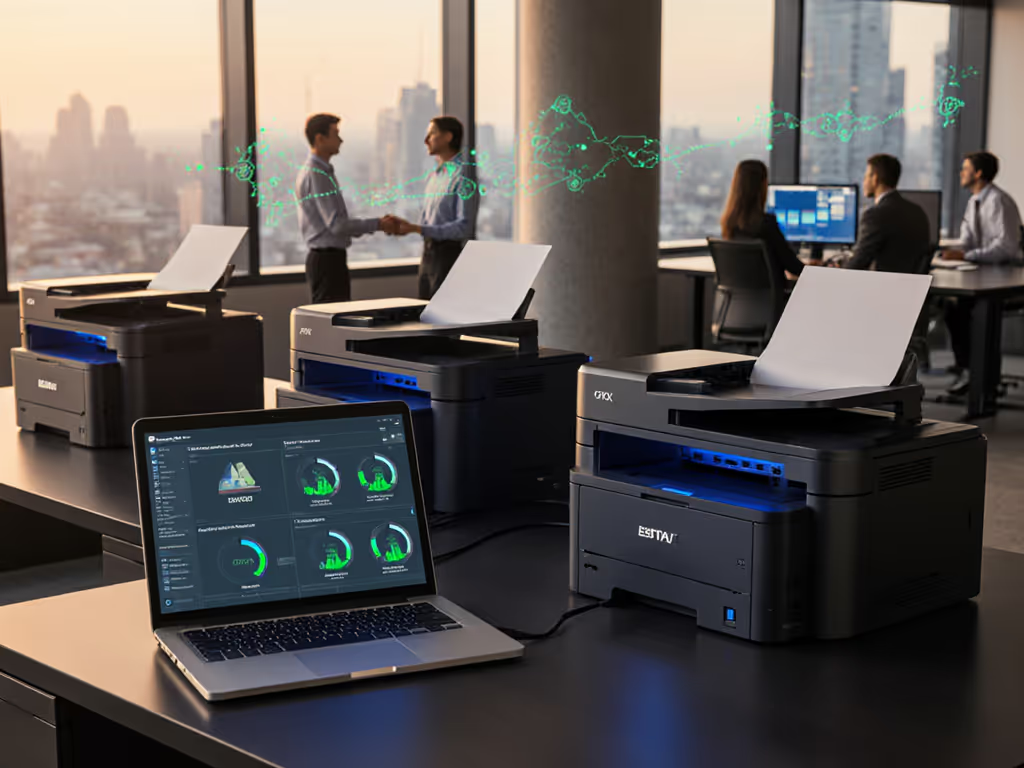
Office wireless printer reliability is not a binary attribute; it is a function of hardware architecture, driver ecosystem, supply chain resilience, and contract clarity working in concert. When evaluating wireless printer solutions, most procurement teams default to comparing specifications and sticker prices. That approach has cost many organizations far more in hidden overages, downtime, and supply chain friction than a methodical scenario analysis of total cost ownership would ever reveal.
This FAQ deep dive examines how office wireless printer reliability operates across real-world deployments, what the data tells us about brand performance, and how to structure contracts and workflows to eliminate the surprises that destroy predictability.
What Does Wireless Printer Reliability Actually Mean in a Business Context?
Reliability encompasses far more than "does it connect to Wi-Fi."
Reliability is measured across five dimensions: availability (uptime %), performance consistency (speed variance over Wi-Fi vs. Ethernet), driver stability (Windows, macOS, ChromeOS, VDI compatibility), supply chain continuity (toner accessibility and no proprietary lockouts), and service response time (SLA enforcement and parts availability).
When organizations collapse these into a single score, they miss critical exposures. For example, a printer with 99% uptime but a 2-week toner lead time is unreliable in workflow terms. Another device that prints reliably but forces three different drivers across your Windows, Mac, and Chromebook users generates hidden helpdesk load (a cost that shows up in ticket volume, not the budget line).
Industry testing across laser and inkjet platforms shows that mobile app connectivity issues are among the most-reported friction points, even among enterprise-grade devices[2]. For detailed brand results and setup nuances, see our wireless connectivity reliability tests. Wireless printing authentication methods vary widely: some rely on Wi-Fi Direct (peer-to-peer) with password or NFC pairing, others use cloud-broker models (vendor app + account), and some still require manual IP entry. Devices that support both Wi-Fi Direct performance testing and standard network authentication tend to absorb hybrid and remote workforce changes more gracefully than single-mode printers.
How Does Brand Performance Compare on the Reliability Metrics That Matter?
Laser vs. Inkjet: The Continuity Trade-Off
Laser printers (particularly monochrome Brother, Canon, and Xerox models) deliver higher page yields per cartridge, more stable toner supplies, and lower per-page costs[1]. The Brother MFC-L2820DW, tested in production environments, yields approximately 1,300 pages per standard cartridge and 3,000 per XL cartridge, with a page cost around $0.039 per print[1]. Warm-up time is short, and toner does not degrade if the device sits idle for weeks.
Inkjet printers (such as the HP OfficeJet Pro series or Epson EcoTank models) offer lower upfront acquisition cost but carry hidden continuity risks. Inkjet printhead clogs are common in low-volume or intermittent-use scenarios. However, refillable-tank models (like the Epson EcoTank Pro ET5850) shift the economics dramatically: they cost more upfront but yield thousands of pages per tank at a substantially lower cost per print, plus reduce consumable replacement frequency[2]. This inversion of cost structure appeals to high-volume operations, but only if supply logistics support bulk ink orders.
For organizations printing in waves (e.g., month-end invoicing, patient records batches), laser is the lower-risk play. Continuity is a budget line, and a device that doesn't require a vendor call-out during a critical print run is cheaper than one that does.
Wireless Performance: Connection Stability vs. Speed Trade-Off
Independent testing confirms a material issue: wireless printer speeds degrade significantly over Wi-Fi compared to Ethernet[1]. The HP OfficeJet Pro 9125e, for instance, reaches 18 pages per minute (PPM) over wired connection but drops to 7 PPM over Wi-Fi, a 61% reduction[1]. This is not a failure; it's physics and protocol overhead. But it matters for scenario analysis of actual workflow timing.
Brother laser multifunction models (including the MFC-L8905CDW and MFC-L2820DW variants) maintain faster wireless throughput and support both standard Wi-Fi and Wi-Fi Direct performance testing without requiring a network[2]. The ability to print peer-to-peer via Wi-Fi Direct (using NFC or manual pairing) is a reliability feature often overlooked by procurement: it eliminates network dependency for ad hoc printing by visiting partners or remote field teams.
Driver Ecosystem and Cross-Platform Stability
Canon Color imageCLASS and Brother MFC/HL lines earn marks for broad OS coverage: Windows, macOS, Linux, ChromeOS, and VDI environments[1]. These devices support Apple AirPrint and Mopria Print Service natively, reducing custom driver maintenance. Organizations with fragmented device pools (some staff on Macs, others on Windows laptops, mobile users on ChromeOS) experience lower helpdesk ticket volume and faster user onboarding when printers support standard print protocols. For cross-platform pitfalls and fixes, review our printer OS compatibility guide.
Proprietary mobile apps (required by some vendors) introduce mobile app connectivity issues as a dependency: app updates lag OS releases, cloud identity integration is incomplete, and troubleshooting becomes vendor-specific. Devices that work without an app (or offer it as optional convenience rather than necessity) are structurally more reliable in hybrid and distributed teams.
What Role Does Supply Chain Resilience Play in Reliability?
A printer can be electronically flawless but organizationally unreliable if consumables are unavailable or locked behind proprietary cartridges.
Brother, Canon, and Epson toner cartridges are widely available through office suppliers, online retailers, and even third-party compatible manufacturers. Organizations should conduct a line-item breakdown of consumable costs and verify that XL, ultra-high-yield, and alternative-brand options are contractually permitted (some vendor agreements restrict or void warranty for third-party supplies).
Refillable-tank models (Epson EcoTank, some Ricoh and Xerox platforms) reduce consumable churn but lock your operation into a different continuity risk: you must have bulk ink in stock and refill discipline in place. This is manageable for high-volume operations with documented replenishment schedules; it is a single point of failure for irregular-volume environments.
Large organizations should also map toner availability across geographies if they operate multiple sites. Our total printer ownership cost guide shows how supply delays cascade into real TCO. A device that relies on a two-week lead time from a single regional distributor creates invisible risk when supply chains absorb disruptions (which has become baseline expectation since 2023).
How Does Guest Network Printing Security Factor Into Reliability?
Guest network printing security is often overlooked in reliability discussions, but it directly impacts uptime and compliance risk.
Devices that support wireless printing authentication methods including PIN-based guest printing, Wi-Fi Direct with temporary credentials, or cloud-broker models allow partners and temporary workers to print without compromising network security or IT administrative burden. A printer that requires IT involvement for every guest user becomes a bottleneck.
Laser printers and newer multifunction devices typically offer secure release printing (pull-to-print, badge/PIN authentication) and encrypted data transmission. These features reduce the risk of sensitive documents left on trays (compliance exposure) and mitigate unauthorized access (security posture). Learn which controls matter most in our printer security features guide. Inkjet devices, particularly budget-tier models, often lack these controls, making them unsuitable for regulated environments (healthcare, legal, finance).
What Does the Contract Language Reveal About Reliability?
Reliability is enforced through SLA clarity. Contracts that specify 99%+ uptime should define:
- Response time (2-hour, 4-hour, next-business-day?)
- Resolution commitment (on-site parts replacement, loaner device?)
- Exclusions (toner supply shortages, user error, third-party consumables?)
- Uptime credits (refund per hour of downtime?)
- Supply continuity guarantee (what happens if the contracted cartridge is discontinued?)
Most standard leases include vague language: "service will be available during business hours" or "we will make commercially reasonable efforts to respond." These are not enforceable, and downtime disputes become unresolvable. If you're evaluating providers, start with our managed print services comparison for SLA and cost benchmarks.
Organizations should require contract language clarity that ties consumable availability to service credits. If toner is unavailable for 15 business days, that's not a reliability issue, it's a contractual breach.
Wireless Printer Reliability: Final Verdict and Scenario Framework
No single brand "wins" reliability across all contexts. Instead, use this sensitivity analysis framework:
High-Volume, Regulated Environments (>10K pages/month, HIPAA/PCI/FERPA compliance required): Brother laser multifunction devices or Canon Color imageCLASS models. Why? High toner yields reduce consumable logistics burden, native security features (secure release, encryption) satisfy compliance, and broad driver support minimizes helpdesk load. SLA requirement: 99%+ uptime, 4-hour on-site response, toner supply guarantee. Contract term: 3+ years, fixed monthly cost including consumables and labor.
Mid-Volume, Cost-Sensitive SMBs (5-10K pages/month, Wi-Fi required, mixed device fleet): Brother MFC-L2820DW or similar monochrome laser. Lower per-page cost, no color overages, Wi-Fi Direct capability, and straightforward driver ecosystem. Contract to include XL cartridges and multi-source supply options (no proprietary cartridge lock-in).
High-Volume, High-Color Operations (15K+ pages/month, routine color printing, auto-replenishment tolerance): Epson EcoTank Pro or refillable-tank models, combined with cloud print management and usage analytics. Higher upfront cost is offset by per-page economics over 3-5 years, but requires disciplined supply chain and inventory tracking.
Occasional Printing, Tight Budget (1-3K pages/month, cost is primary constraint): Brother HL-L2460DW or equivalent budget monochrome laser. Why? Toner does not dry out if the device is unused for weeks, and no cloud account or app dependency creates uptime risk.
The common thread across all scenarios is predictability. Organizations that selected the cheapest lease found themselves caught in overage charges, urgent toner calls, driver incompatibilities, and month-end printing scrambles (consuming overhead savings and creating process friction). A mid-tier fleet with transparent consumable costs, multi-source supplies, and enforceable uptime SLAs eliminated the downstream chaos and stabilized cash flow.
Continuity is a budget line. The most reliable wireless printer is the one whose total cost, supply chain, and service terms are locked down in writing and tested before renewal. Wireless connectivity is table stakes; it is the entire ecosystem (consumable availability, driver support, contract enforcement, and SLA clarity) that determines whether your fleet is reliable or merely wireless.
Related Articles