Commercial vs. Small Office Printers: Desk Space Guide
By Omar Haddad • 24th Apr

When you're evaluating a commercial office printer versus deploying multiple small home office printer instances across your team, the decision rarely comes down to footprint alone. For IT directors, systems administrators, and procurement leaders, desk space is often the visible symptom of a deeper operational and security choice. This guide walks through the practical, compliance-aware trade-offs, including lifecycle costs, data sanitization obligations, and governance controls that make the difference between a liability and a reliable endpoint.
FAQ: Commercial vs. Small Office Printers
What does "desk space" really measure in this comparison?
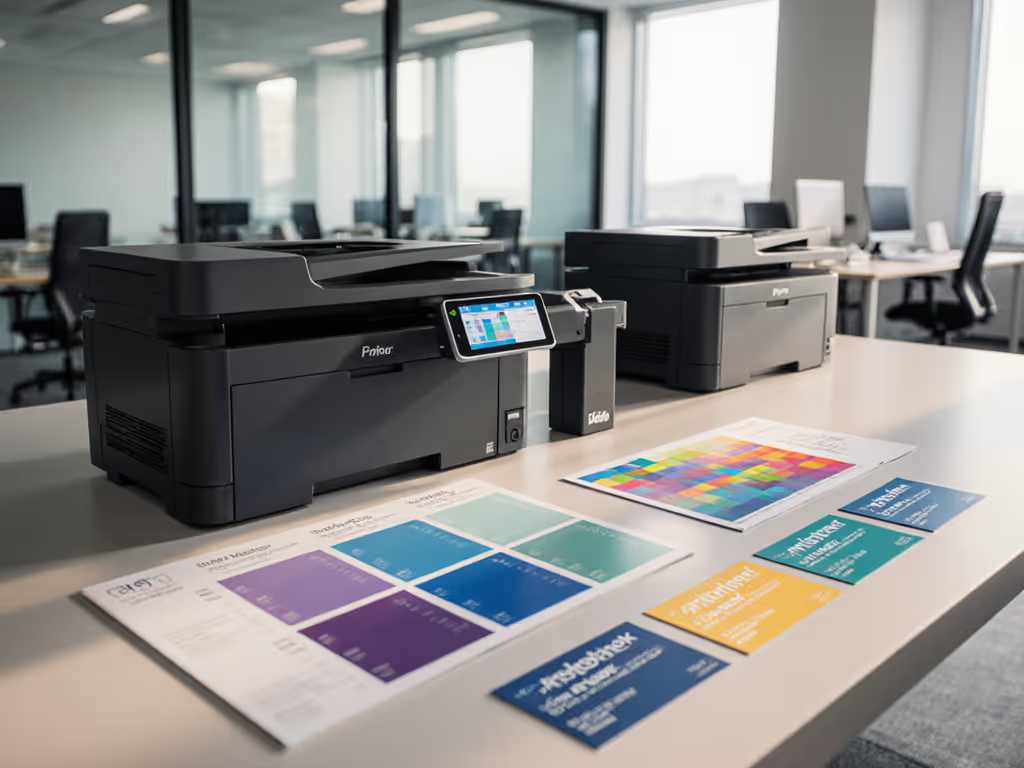
In a pure physical sense, a small home office printer occupies roughly 15-20 inches of linear desk or shelf space, while a commercial office printer typically requires 24-36 inches and may sit on a dedicated stand or enclosed cart. But for enterprise operators, "desk space" is shorthand for distributed architectural footprint (the number of devices you must manage, secure, patch, monitor, and eventually decommission).
Assuming you have 40 office staff, you could deploy one shared commercial office printer in a central location or eight small home office printers scattered across departments. That difference propagates through every operational layer: identity and authentication controls, firmware governance, logging and audit trails, consumable supply chains, and data destruction workflows. Security defaults must be visible, enforceable, and vendor-agnostic; with eight devices, you multiply the points where defaults can diverge or misconfigurations can hide.
How do lifecycle and refresh timelines differ between the two?
Commercial office printers are engineered for 3-5 year operational life with predictable failure curves. Vendors publish maintenance intervals, consumable replacement schedules, and end-of-life product lines. You can align refresh cadence with budget cycles and contract expirations.
Small home office printers, by contrast, are often designed for lower duty cycles (measured in thousands of pages per month) and may see shorter real-world lifespans in heavy-use environments. To align specs with reality, see our duty cycle vs monthly volume guide. Failure rate data (repair records, part replacements, warranty claims) often surfaces earlier in small units than commercial peers. This matters for compliance: if a printer holds sensitive documents (patient records, legal briefs, financial statements) and fails unexpectedly, unplanned downtime ripples into production and audit risk.
Control mapping callout: For a distributed small home office printer fleet, you need quarterly inventory reviews to catch devices aging into higher failure rates, plus a legacy sweep process to identify shadow IT or forgotten units. For a centralized commercial office printer, the refresh decision is simpler but requires tight alignment with OS support timelines and warranty expirations.
What are the cost and total cost of ownership implications?
Sticker price favors small units (often $300-600 versus $2,000-5,000 for commercial equivalents). But replace guesswork with data. Use our total cost of ownership guide to structure the analysis.
Performance metrics: Track boot times, print job queuing, and error logs. A commercial office printer with high-speed output and large paper trays typically experiences fewer jams, toner-out stalls, and thermal recovery cycles, meaning fewer user interventions and helpdesk tickets.
Failure rate analysis: Compare repair costs to replacement costs. If a small home office printer requires drum replacements or fuser repairs every 18 months, and parts + labor exceed $400 per incident, replacement becomes the better financial option, especially if you're running eight of them.
Per-page cost alignment: Commercial printers come with transparent cost models (per-page consumable pricing, bundled maintenance). Small units often hide toner and drum costs until you're deep in the lifecycle. A centralized commercial office printer with per-page contracts simplifies budgeting; distributed small home office printers demand vigilant cost tracking across units.
Assumption callout: Comparing total cost of ownership requires 3-5 years of usage data: pages printed, energy consumption, failure events, and staff time spent on driver troubleshooting or supply ordering. Many organizations lack this visibility and underestimate the true cost of dispersed fleets.
How do security and compliance considerations shift between the two architectures?
Here is where the distinction becomes strategic for risk-averse operators.
A centralized commercial office printer allows you to enforce unified security controls:
- Device authentication: Restrict access via PIN release, RFID cards, or cloud identity integration (Azure AD/Entra ID).
- Firmware governance: Deploy signed firmware from a known source; disable legacy protocols (LPD, raw socket print) that bypass audit logging. Learn how to manage updates fleet-wide with our printer firmware updates guide.
- Syslog and audit trails: Forward all print jobs, authentication failures, and supply events to your SIEM for forensic review. Logs or it didn't happen. Without evidence links in your logging infrastructure, you cannot prove to an auditor that sensitive documents were handled securely.
- Data sanitization: When the device reaches end-of-life, coordinate with a certified ITAD provider to verify secure overwrite of the hard drive holding cached job data. A single commercial office printer is one sanitization event; eight scattered units create eight coordination points and higher error risk.
Distributed small office printers fragment this control surface. Consumer or prosumer models often lack cloud identity support, syslog forwarding, or signed firmware verification. Each unit becomes a semi-autonomous endpoint (harder to monitor, harder to audit, and harder to decommission securely).
A SOC 2 audit or HIPAA compliance review will flag unmonitored printers as a material risk. Demonstrating secure configuration and complete audit trails across your fleet is faster with a single, well-governed commercial office printer than with eight disparate units.
How does data destruction and ITAD workflow differ?
When a printer reaches end-of-life, it holds cached print jobs, scan metadata, and network credentials in its hard drive or flash storage. Proper disposal is not optional, it is a compliance mandate in healthcare, legal, finance, and government sectors.
Commercial office printer disposal: A responsible ITAD (IT Asset Disposition) vendor provides:
- NIST 800-88 certified data destruction and chain-of-custody documentation
- Serialized inventory reporting and per-device certificate of destruction
- ESG carbon reduction receipt (for sustainability reporting)
- Professional liability insurance ($1M+ standard)
You coordinate with your vendor, schedule a single pickup, and receive audit-ready certificates. For policy templates and checklists, see our end-of-life protocol guide.
Small office printer disposal challenge: Eight devices scattered across desks or home offices create logistical friction. Each must be individually inventoried, data-wiped, and documented. A common failure mode: an employee discards a printer without notifying IT, and it ends up in a landfill or unsecured reseller with documents intact. Centralizing the device (and the disposal process) reduces this residual risk.
Supply chain continuity: Responsible ITAD providers handle variable volumes without friction, often scheduling pickups within 3 business days of request. This predictability aligns with your refresh calendar and budget planning.
How does desk space optimization connect to workflow and user experience?
A commercial office printer in a central location forces discipline: users walk to print, retrieve documents promptly, and reduce the chance of sensitive pages sitting unattended. This inconvenience is a security feature, it raises awareness and discourages casual printing of regulated content.
Small home office printers at each desk offer convenience but invite risk: a user prints a patient record, gets pulled into a meeting, and leaves the page on the tray for hours or days. Without physical proximity or centralized monitoring, sensitive documents persist longer outside secure storage.
For workflow-driven organizations, the trade-off is explicit: centralized commercial office printer + secure PIN release + mandatory document retrieval versus dispersed small home office printers + ease of access + heightened data loss risk.
What about environmental and sustainability metrics?
Organizations increasingly tie procurement to carbon targets and e-waste reduction. A commercial office printer consolidates print volume into fewer devices, reducing overall power draw and consumable waste. Track carbon emissions for each device category and monitor e-waste volumes via your ITAD partner. For practical steps, see our sustainable office printing guide.
Dispersed small printers often sit idle or print at low volumes, reducing their utilization efficiency and increasing per-page carbon intensity. A single, well-utilized commercial office printer typically wins on sustainability scorecards.
What is the operational recommendation?
For teams of 20-100 staff in regulated industries (healthcare, legal, finance, logistics), centralize on a commercial office printer with secure release, syslog forwarding, and a documented refresh and ITAD plan. This reduces security surface area, simplifies compliance audits, and lowers long-term cost of ownership when you account for labor, energy, and decommissioning.
For smaller teams (under 20) with lower print volumes and no sensitive documents, small home office printers at individual desks are tolerable, but still warrant basic controls: device inventory in your asset management system, annual data-wipe or certified disposal, and driver standardization to reduce helpdesk load.
Actionable Next Steps
- Conduct a fleet audit. Inventory all printers by model, location, and age. Cross-reference warranty expiration and OS support timelines. Identify devices older than 4 years or with rising repair frequencies. These are refresh candidates.
- Calculate true cost of ownership. Aggregate 12 months of printer-related expenses: toner, repairs, service calls, and staff time. Divide by total pages printed. Compare this per-page cost to a vendor's commercial printer cost model.
- Map security controls to each device type. Audit your current printers for syslog forwarding, PIN release, firmware signing, and cloud identity support. Document gaps and prioritize centralization of sensitive workflows to compliant devices.
- Establish a refresh schedule aligned with contracts. Use performance metrics and failure rate data to set device replacement targets. Align refresh with your fiscal calendar and contract renewal dates to smooth approvals and prevent emergency purchases.
- Partner with a certified ITAD vendor. Request a sample of their disposal certificates, chain-of-custody forms, and liability insurance. Schedule a test pickup for your oldest devices and validate the workflow before scaling. Verify they provide ESG carbon receipts for sustainability reporting.
- Standardize on one or two commercial printer models across your organization. Consolidate consumables, spare parts, and driver management. Lock default settings (PIN release required, duplex on, syslog enabled) so configuration drift is visible.
- Document your refresh and disposal cadence in policy. Link hardware lifecycle to OS support timelines, warranty terms, and budget cycles. Make the plan visible to stakeholders: finance for forecasting, IT for resource planning, and compliance for audit trails.
Security defaults must be visible, enforceable, and vendor-agnostic. When you move from a reactive "buy it when it breaks" model to a planned refresh cycle backed by data, your printer fleet becomes a controlled asset instead of a sprawling liability. Desk space optimization is the visible symptom; behind it lies operational maturity, compliance confidence, and budget predictability.
Related Articles