Print DPI: Specialized Document Requirements
By Omar Haddad • 4th Apr
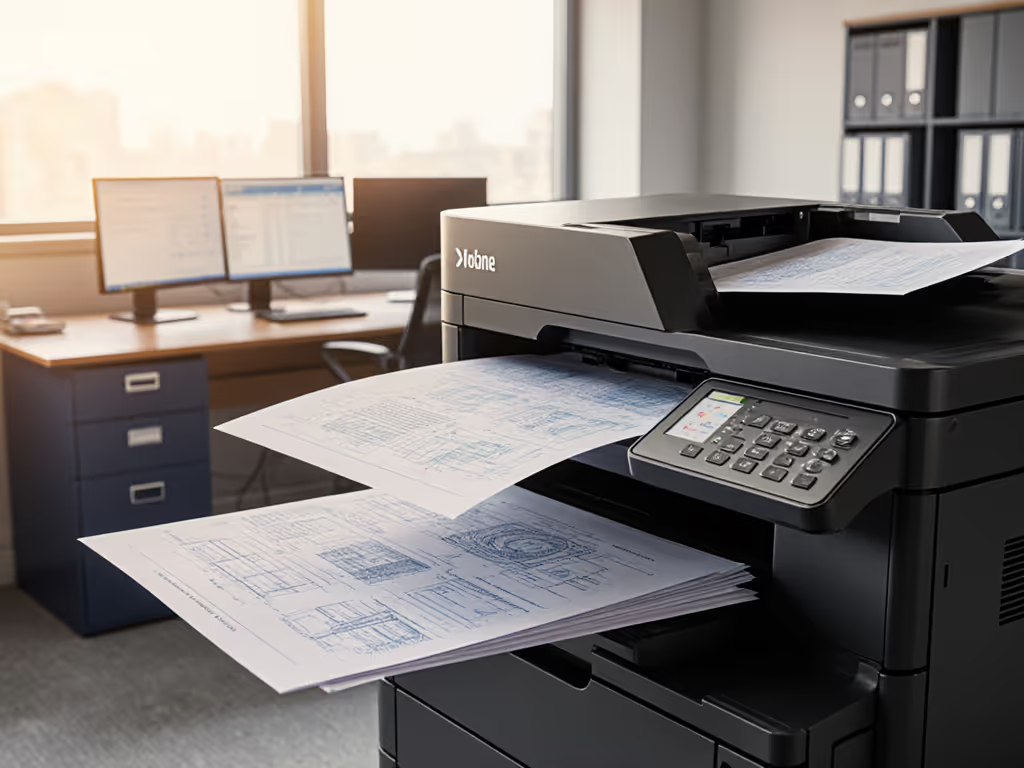
Understanding Resolution Standards for Mission-Critical Output
When you're managing a print fleet for professional services, legal, healthcare, or finance, print resolution for specialized documents isn't just about aesthetics (it's about compliance, liability, and detectability). Every industry has implicit (and often explicit) DPI requirements for professional printing baked into regulations, client contracts, and audit standards. Yet most IT teams default to 300 DPI across the board without asking why or what happens when it fails. For a practical overview of office DPI choices and their impact on consumables and reliability, see our Office DPI settings guide.
This FAQ dives into the control mappings between document type, DPI standard, and your risk posture. Assume compromise; verify controls. If an engineer's drawing or a legal exhibit doesn't render at the right fidelity, you've created evidence gaps, and evidence gaps don't pass audits.
FAQ: Print Resolution and Specialized Document Standards
Q: What's the practical difference between 300 DPI, 600 DPI, and higher resolutions?
DPI (dots per inch) is a proxy for detail fidelity and discoverability. At 300 DPI, you capture roughly 90,000 dots per square inch; at 600 DPI, you double that. The real-world impact:
- 300 DPI: Readable text for standard documents (memos, letters, reports). Legal minimum for most contracts. Small print, fine lines, and microtext become mushy, problematic for exhibits, blueprints, and certified documents.
- 600 DPI: Industry baseline for professional printing. Captures fine detail, signatures, and security features clearly. Suitable for legal exhibits, marketing materials with small copy, and archival records. Most enterprise multifunction devices default or recommend this.
- 1200 DPI and above: Reserved for specialized work (security documents, high-precision color work, fine art reproduction, and microfilm preparation). Overkill for routine office printing; drives toner usage and device wear.
Assumption callout: If a contract specifies "professional-quality printing" without a number, courts and auditors often assume 600 DPI as the implicit standard. Banking on 300 DPI for a legal exhibit can undermine chain-of-custody claims later.
Q: What are engineering drawing DPI standards?
Engineering drawing DPI standards sit higher than general office work. Industry bodies (ASME, ISO) do not prescribe DPI directly; they prescribe line weight accuracy and dimensional clarity. The translation:
- CAD plots and blueprints: Minimum 600 DPI to preserve line weights (0.35 mm and thinner) and ensure dimensions are legible by field teams. Construction, manufacturing, and utilities regularly reference printed plots; a faded line causes rework or safety risk.
- Scan-to-CAD workflows: If you're capturing existing drawings for digitization, you need 600 DPI minimum for OCR and vector tracing to work. Lower resolution bleeds detail and creates downstream errors. To boost recognition accuracy and throughput in these scenarios, review our ADF and OCR efficiency guide.
- Archival plots: If plots are filed as approved-for-construction records, treat them like legal exhibits: 600 DPI minimum, ideally with color fidelity for markup layers.
Many facilities teams undershooting this learn the hard way: a subcontractor reprints a 300 DPI plot because dimensions look ambiguous, adding delays and cost. The device didn't fail; the control mapping between document criticality and output spec did.
Q: What's the standard for legal exhibit print quality?
Legal exhibit print quality is where DPI meets liability. Courts and e-discovery vendors have implicit expectations:
- Depositions and trial exhibits: 600 DPI minimum. Judges and juries must see documents as clearly as opposing counsel. A blurry exhibit damages credibility and can trigger objections to authenticity.
- Scanned exhibits (e-discovery): 300 DPI is technically acceptable for searchable PDF under TREC standards, but 600 DPI is safer for image quality and OCR confidence. If a key word or figure is questioned, higher fidelity is your defense.
- Color exhibits: 600 DPI with color management. If a contract signature, product logo, or medical image hinges on color distinction, low resolution creates ambiguity. A poorly rendered image is a litigation risk.
- Certified copies: If you're certifying a printed copy as a "true and correct" reproduction, that copy must be high enough fidelity to pass visual comparison. 600 DPI is the pragmatic standard. For implementing chain-of-custody-friendly scan workflows, see secure scanning for compliance.
Plain-language threat model: If you print an exhibit at 300 DPI and the opposing counsel submits a 600 DPI version, yours looks deliberately degraded. You lose credibility before the argument even starts.
Q: How do marketing material resolution requirements differ?
Marketing material resolution requirements are driven by brand risk and audience medium, not regulatory mandates. The breakdown:
- Digital print (brochures, flyers, postcards): 300 DPI is standard. Print vendors actually request 300 DPI for offset and digital presses; higher resolution wastes toner/ink and slows production without perceptual benefit.
- High-end collateral (annual reports, luxury packaging, catalogs): 600 DPI for text and line art; 450-600 DPI for photographs (if CMYK separation is used). Brand perception demands sharpness and color accuracy.
- Small-format color output (business cards, labels, promotional prints): 600 DPI recommended, especially if logos or fine text are involved. A fuzzy logo on a card damages brand perception immediately.
- Variable data printing (personalized letters, checks, forms): 600 DPI for signatures, account numbers, and MICR encoding. Banks and financial services use this standard.
The risk here is not compliance: it is market perception. A blurry marketing piece suggests carelessness.
Q: How do specialized document printing specs relate to compliance and auditability?
Here's the thread most teams miss: specialized document printing specs aren't isolated from your control posture. They're evidence artifacts.
In a SOC 2 audit, we once faced a gap in document retention proof. Our client was printing patient consent forms at 300 DPI with no signed firmware or timestamped device logs. Auditors questioned whether scanned copies were authentic reproductions or had been altered. We remapped the workflow: upgrade to 600 DPI multifunction devices with firmware signing, enable syslog for all print jobs, and tie each batch to identity and timestamp. For hardening guidance and policy templates, start with our printer firmware security overview. Suddenly the auditor could verify that a printed consent form matched the digital original and that no unauthorized copies had circulated. The cost of reconfiguring the print fleet was a fraction of the cost of a failed audit renewal.
Control mapping:
- Print resolution (DPI) → Document fidelity → Evidence integrity → Audit confidence.
- Weak DPI + no firmware visibility = audit risk.
- Mapped DPI + signed firmware + device logging = audit proof.
Building a DPI-Aware Print Policy
Don't default to "600 DPI everywhere" or "300 DPI to save toner." Categorize your documents:
| Document Type | Minimum DPI | Rationale | Evidence Link |
|---|---|---|---|
| General memos, email prints | 300 | Regulatory minimum; cost-effective. | Routine operations |
| Legal exhibits, certified records | 600 | Authenticity and legibility for disputes. | Chain-of-custody |
| Engineering/CAD plots | 600 | Line weight and dimensional accuracy. | Construction/design standards |
| Financial statements, compliance reports | 600 | Audit trail clarity; signature fidelity. | Regulatory/audit |
| Marketing collateral (high-end) | 600 | Brand perception and logo clarity. | Market differentiation |
| Transactional (checks, forms) | 600 | MICR/barcode encoding accuracy. | Payment/tracking |
Actionable next steps:
- Audit your current fleet: Check device logs (if enabled) to confirm default DPI settings per workflow. Many teams discover their devices are overriding user print settings or defaulting to 300 DPI silently.
- Map document types to DPI: Work with your legal, finance, and operations teams to document which outputs need which fidelity. Codify it in your print policy and device configuration management.
- Verify device capabilities: Ensure your multifunction devices support both 300 and 600 DPI output without driver conflicts or hidden quality settings. Test a sample print from each device model.
- Enable firmware signing and print logging: Tie each print job to user identity, timestamp, and device firmware version. If a document quality issue arises, you have the evidence to trace it.
- Train help desk and users: A common ticket is "Why does my printed form look blurry?" Root cause is often a driver default or device setting override. Document the fix once; prevent 50 future tickets.
- Review your device refresh criteria: When evaluating new multifunction systems, confirm that DPI options are user-selectable, that device defaults are configurable via policy, and that print job metadata includes resolution for audit trails.
Resolution matters because documents are evidence. When they are not crisp, clear, and traceable (security defaults must be visible, enforceable, and vendor-agnostic), you've opened a gap. Assume your next audit, lawsuit, or compliance review will scrutinize every printed page. Make resolution and fidelity part of your control story from day one.
Related Articles